Win11 KB5014697更新失败安装错误 - 0x800f081f怎么办?最近有很多小伙伴反映在安装2022-适用于 Windows 11 的 06 累积更新,适合基于 x64 的系统 (KB5014697)时,遇到安装错误 - 0x800f0982,遇到同样问题的小伙伴快来试试看吧。
Win11 KB5014697安装错误 - 0x800f0982的解决方法
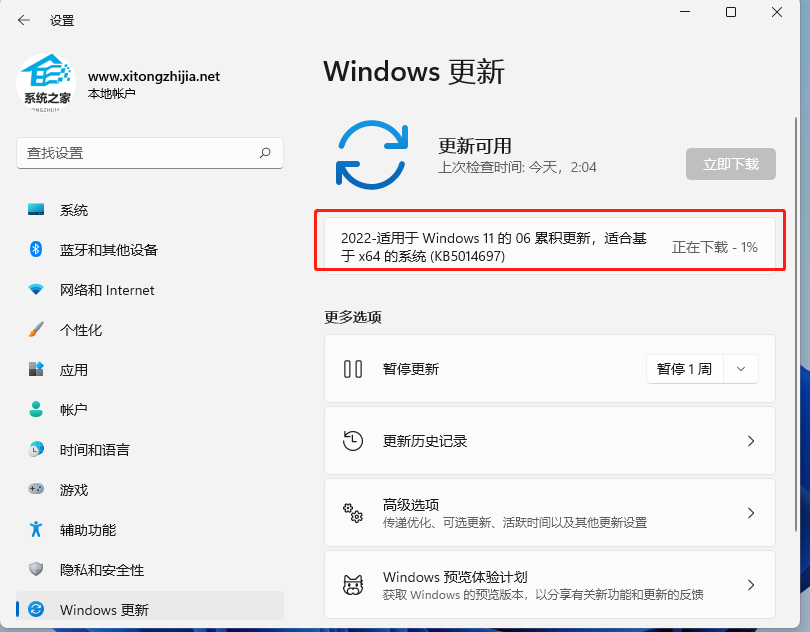
解决方法
方法一:安装离线更新补丁
下载对应的离线更新补丁KB5014697,采用离线更新的方式。注意:.cab格式的更新包,应采用Dism++来安装更新。
方法二:
1、启动开始菜单,输入 “cmd”,右键以管理员身份运行,然后依次执行以下命令:
SC config wuauserv start= auto
SC config bits start= auto
SC config cryptsvc start= auto
SC config trustedinstaller start= auto
SC config wuauserv type=share
net stop wuauserv
net stop cryptSvc
net stop bits
net stop msiserver
ren C:WindowsSoftwareDistribution SoftwareDistribution.old
net start wuauserv
net start cryptSvc
net start bits
net start msiserver
重启设备,再次尝试更新 Windows,看一下是否还会提示错误。



 窥视卡
窥视卡 雷达卡
雷达卡


 发表于 2023-2-10 06:19:41
 提升卡
提升卡 置顶卡
置顶卡 沉默卡
沉默卡 喧嚣卡
喧嚣卡 变色卡
变色卡 千斤顶
千斤顶 照妖镜
照妖镜
