不少用户都听说过虚拟光驱daemontools,其实daemontools是非常实用的,但是很多用户还不知道到底要怎么使用daemontools,今天就教给大家详细的操作方法,大家可以按照下方的操作方法进行操作即可学会使用daemontools。
首先,我们下载一个DAEMON Tools Pro(虚拟光驱)。
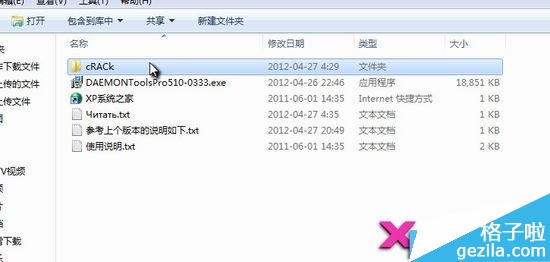
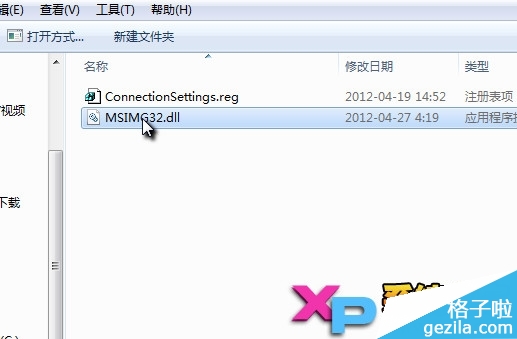
下载完后解压,我们首先打开CRACK文件夹
虚拟光驱daemontools教程
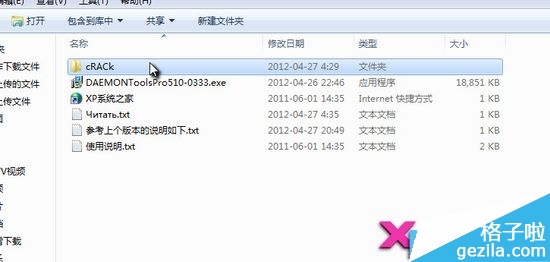
虚拟光驱daemontools教程图1
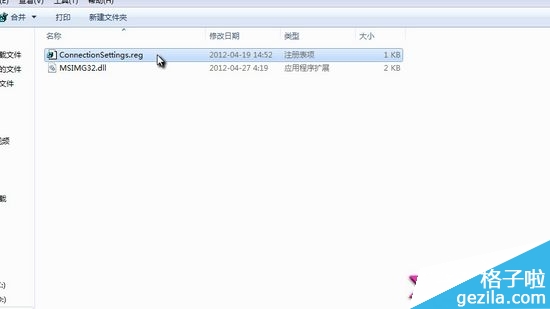
双击文件夹内的ConnectionSettings.reg 导入注册表信息
虚拟光驱daemontools教程
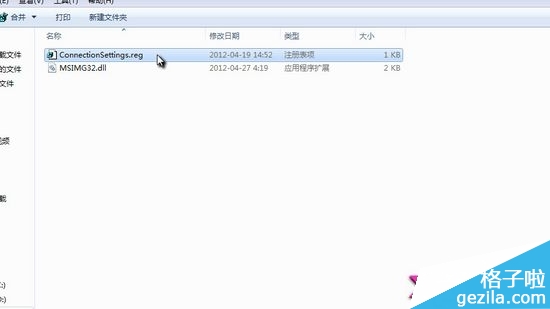
虚拟光驱daemontools教程图2
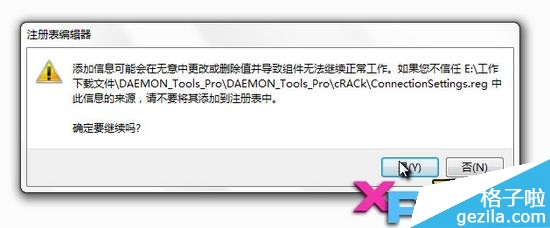
虚拟光驱daemontools教程
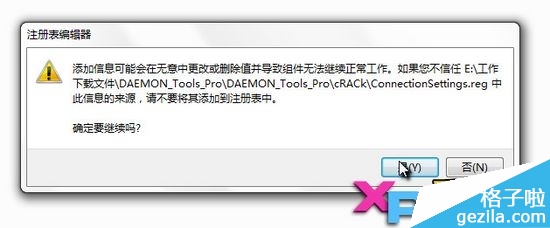
虚拟光驱daemontools教程图3
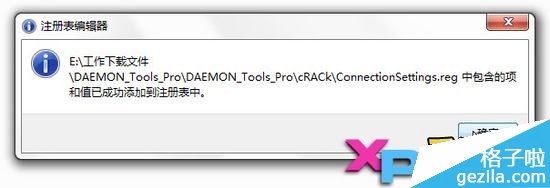
虚拟光驱daemontools教程
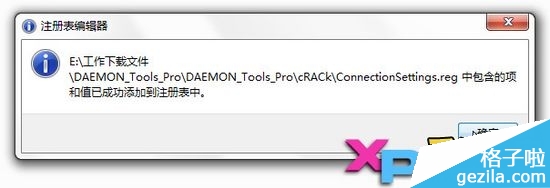
虚拟光驱daemontools教程图4
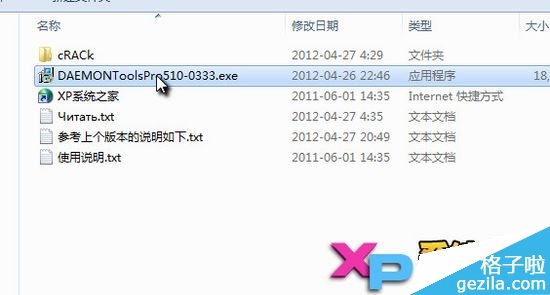
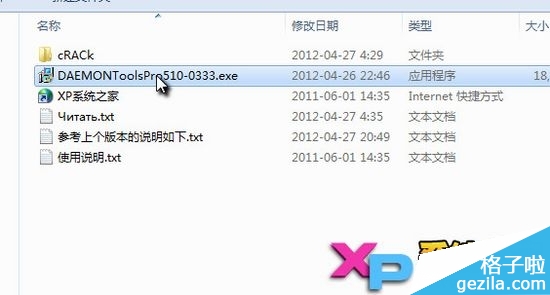
接着我们启动安装程序 DAEMONToolsPro510-0333.exe
虚拟光驱daemontools教程
虚拟光驱daemontools教程图5
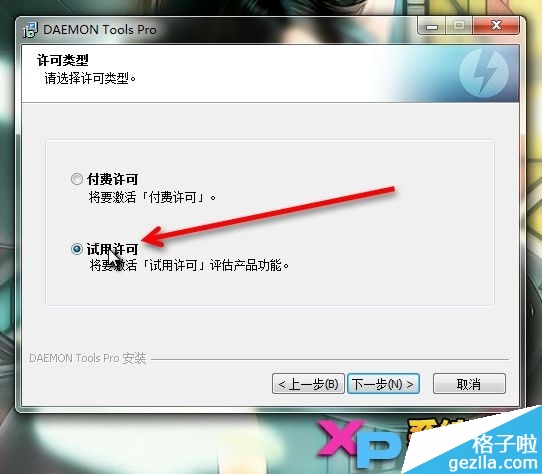
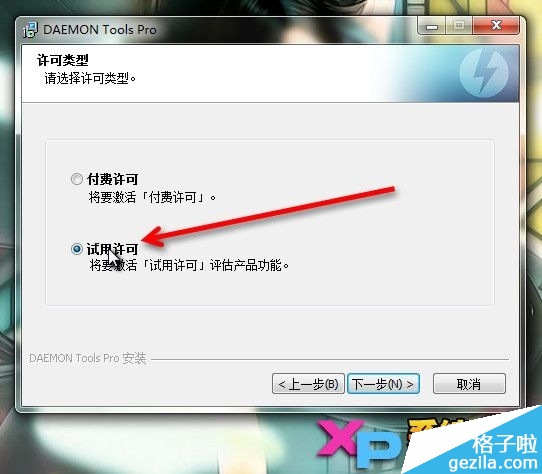
在 许可类型 中,选择 试用许可
虚拟光驱daemontools教程
虚拟光驱daemontools教程图6
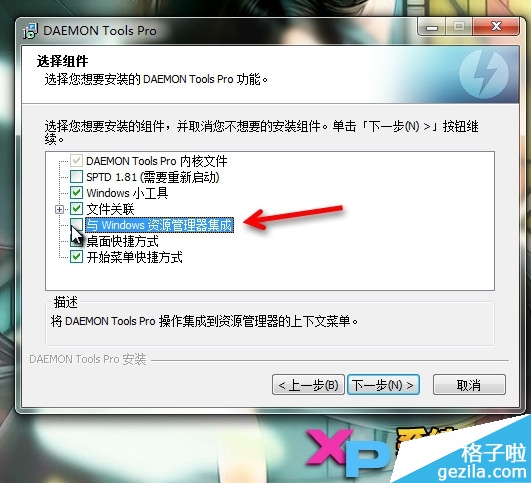
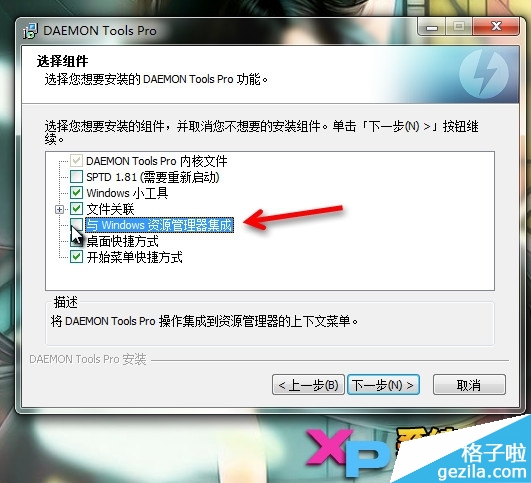
注意:接下来的一步中,我们要将“与Windows资源管理器集成”选项取消,切记切记!
虚拟光驱daemontools教程
虚拟光驱daemontools教程图7
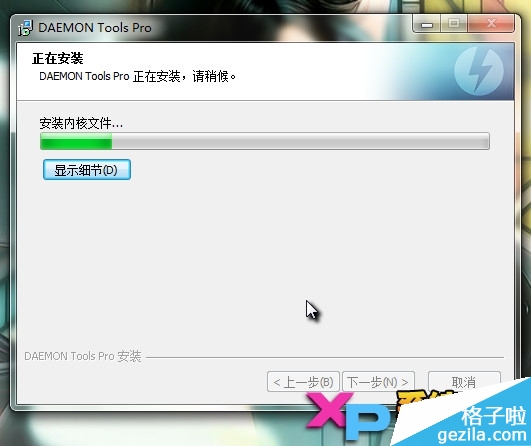
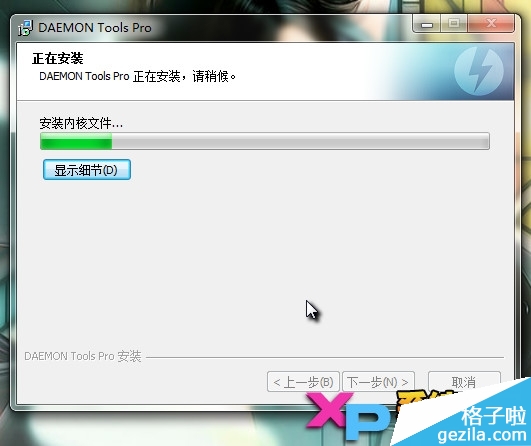
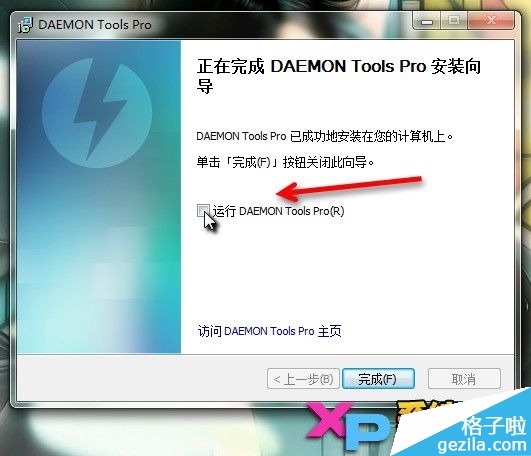
接下来就是安装了,安装完成后,切记不要打开DAEMON Tools Pro(虚拟光驱)程序!运行DAEMON Tools 的选项也要取消!
虚拟光驱daemontools教程
虚拟光驱daemontools教程图8
虚拟光驱daemontools教程
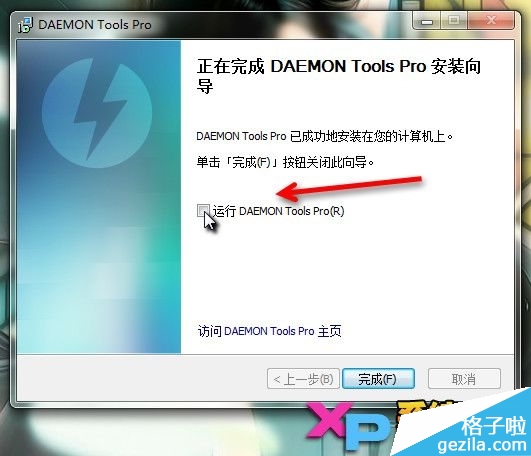
虚拟光驱daemontools教程图9
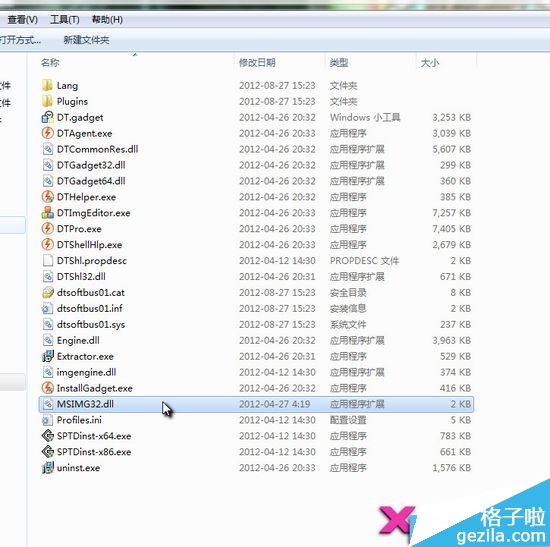
我们返回之前的CRACK文件夹,复制MSIMG32.dll文件,到 DAEMON Tools Pro(虚拟光驱) 的安装目录中
虚拟光驱daemontools教程
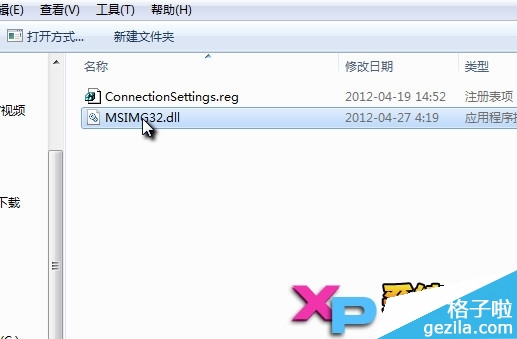
虚拟光驱daemontools教程图10
虚拟光驱daemontools教程
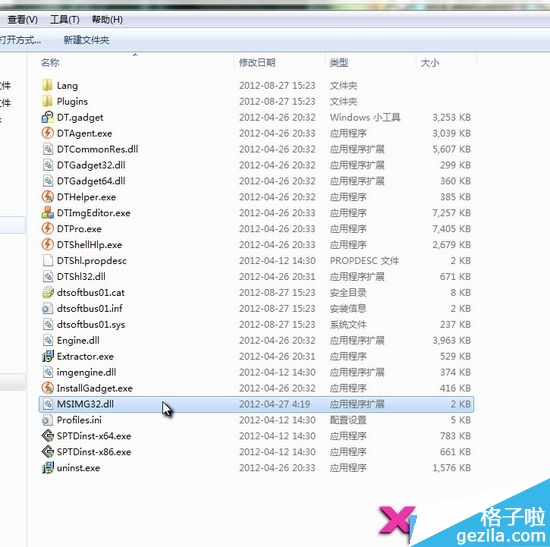
虚拟光驱daemontools教程图11
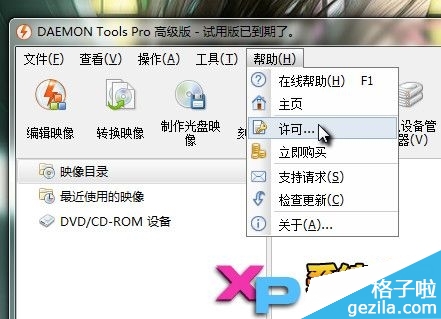
这时,我们可以打开 DAEMON Tools Pro(虚拟光驱) 程序了!在软件界面,我们点击 帮助——许可,接下来选择更改
虚拟光驱daemontools教程
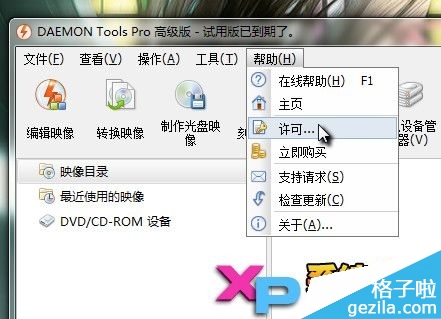
虚拟光驱daemontools教程图12
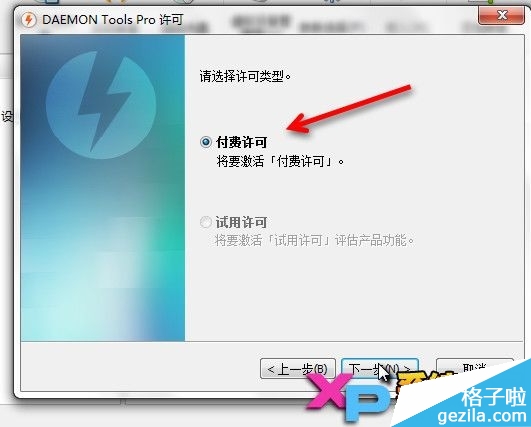
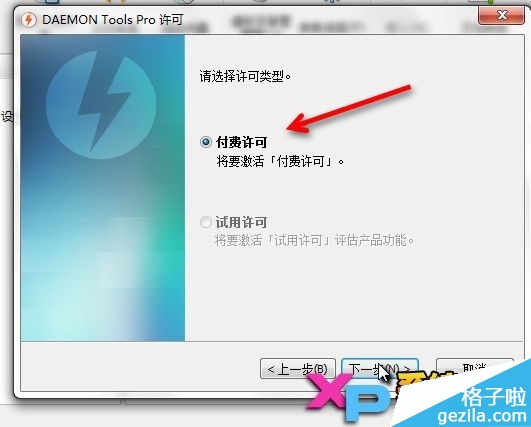
选择付费许可
虚拟光驱daemontools教程
虚拟光驱daemontools教程图13
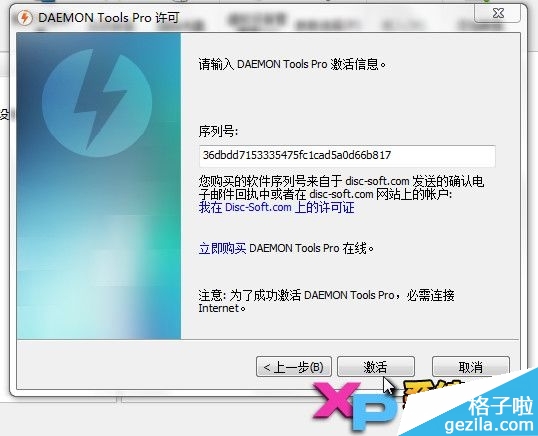
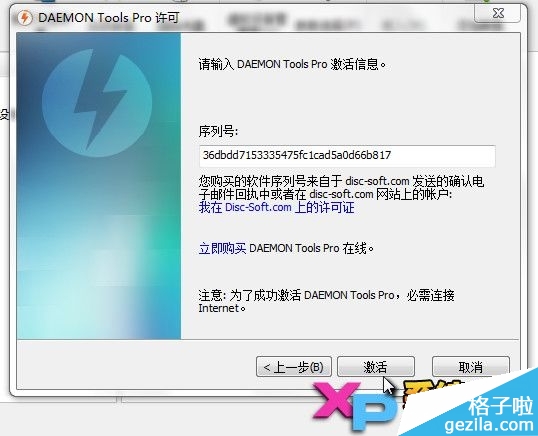
输入序列号(可复制):36dbdd7153335475fc1cad5a0d66b817 后,点击激活
虚拟光驱daemontools教程
虚拟光驱daemontools教程图14
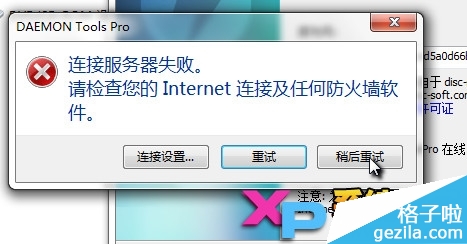
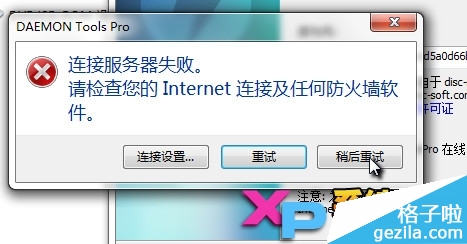
这时候会蹦出来一个连接服务器失败的提示,我们直接点击 稍后重试 (如果未有此提示,还请断网后重新安装激活一次)
虚拟光驱daemontools教程
虚拟光驱daemontools教程图15
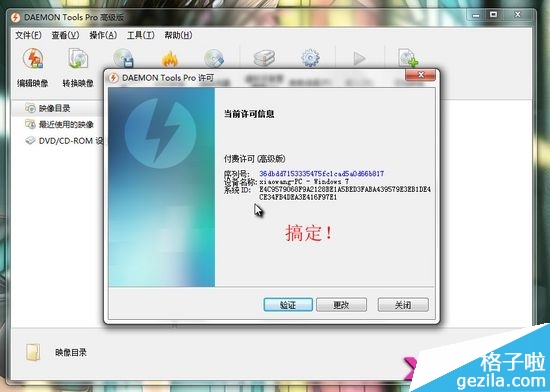
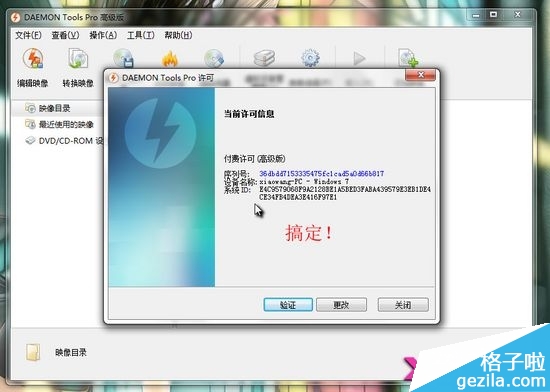
好了!这时候我们退出程序,重新启动DAEMON Tools Pro(虚拟光驱)程序,此时已经是成功激活状态啦!
虚拟光驱daemontools教程
虚拟光驱daemontools教程图16
综上所述就是相关虚拟光驱daemontools教程的全部内容了,只要大家掌握好了虚拟光驱daemontools激活的技巧的话,就可以轻松使用虚拟光驱daemontools工具愉快地玩游戏了,何乐不为呢?赶紧动手操作试试吧!如果你觉得你的windows7系统玩游戏不够顺畅的话,win7重装系统教程,欢迎登录我们的官网观看教程!




 发表于 2023-2-10 06:50:54
 提升卡
提升卡 置顶卡
置顶卡 沉默卡
沉默卡 喧嚣卡
喧嚣卡 变色卡
变色卡 千斤顶
千斤顶 照妖镜
照妖镜
